Lightroom or Photoshop: Which Photo Editing Software Is Better
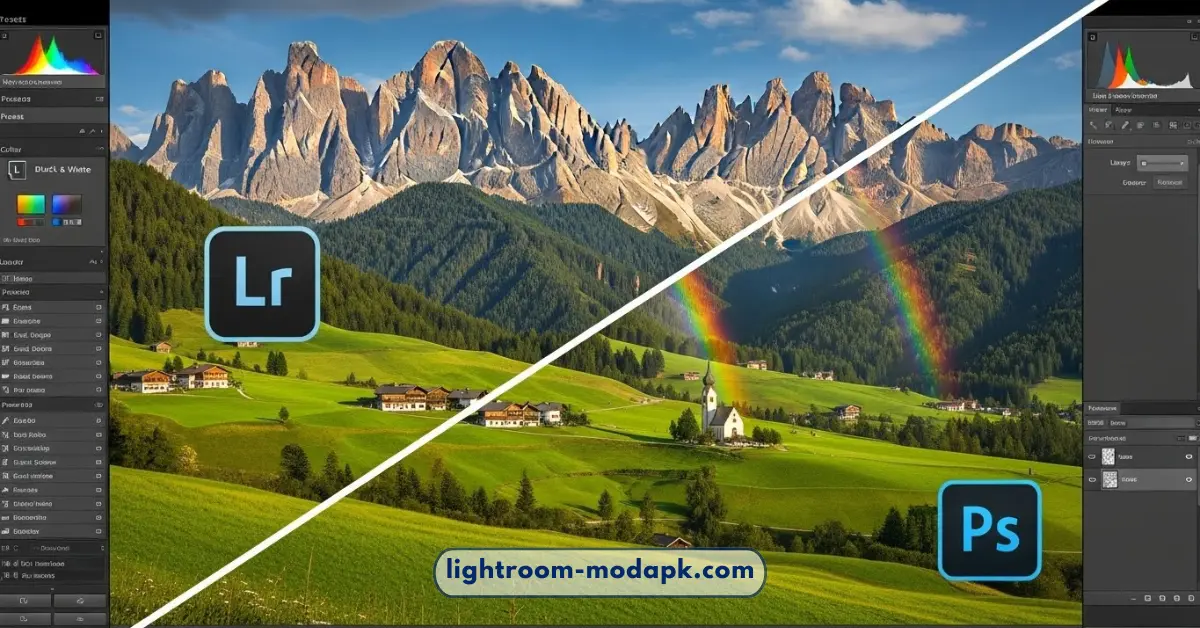
Choosing between Adobe Lightroom and Adobe Photoshop is a big decision for anyone who loves taking pictures. If you are looking for the perfect app to make your photos look amazing, you might feel a little confused. Both apps are famous, and both are made by Adobe, but they do very different things.
Think of it like a kitchen. Lightroom is like the chef who organizes the pantry and cooks the main meal for a big party. Photoshop is like the baker who focuses on one single, giant cake, adding tiny details and decorations until it looks like a piece of art.
In this guide, we will look at everything you need to know about these two programs so you can pick the one that fits your style.
What is Lightroom?
Lightroom was born in 2007. It was created specifically for photographers who take hundreds or even thousands of pictures. When you go on a vacation or shoot a wedding, you don’t just have one photo; you have a library.
Lightroom is designed to help you organize, manage, and edit those photos all in one place. The best part about Lightroom is “non-destructive editing.” This means when you change the colors or brightness, the original photo stays safe. You can always go back to the start without losing your original file.
Who is it for?
- Professional Photographers: Who need to edit many photos quickly.
- Beginners: Who want an easy way to make their colors “pop.”
- Travelers: Who want to keep their photo library organized by date or location.
What is Photoshop?
Photoshop is much older; it started back in 1987!It is the most powerful image editor in the world. While Lightroom is about making a photo look its best, Photoshop is about changing what is in the photo.
In Photoshop, you can move mountains, remove people from the background, or turn a daytime sky into a starry night. It uses “layers,” which are like sheets of clear glass stacked on top of each other. You can draw on one sheet without touching the one below it.
Who is it for?
- Graphic Designers: Who need to add text and logos.
- Artists Who want to create digital paintings.
- Retouchers: Who need to fix tiny details like skin blemishes or stray hairs.
Key Differences: Side-by-Side Comparison
| Feature | Lightroom | Photoshop |
| Main Goal | Organizing and color editing | Advanced pixel editing and art |
| Speed | Very fast for many photos | Slower (one photo at a time) |
| Learning Curve | Easy to learn | Difficult to master |
| Layers | No (uses sliders) | Yes (very advanced) |
| Original File | Never changes (Safe) | Can be changed (Must be careful) |
1. User Interface and Ease of Use
Lightroom: The Organized Desk
When you open Lightroom, everything feels like it has a proper home. There are modules like “Library” for looking at your files and “Develop” for changing the colors. The tools are mostly sliders. If you want more light, you slide the “Exposure” bar to the right. It is very intuitive.
Photoshop: The Master Workshop
Photoshop can be scary at first. There are dozens of buttons, menus, and panels. Because it can do almost anything, it doesn’t try to hide its tools. It takes time to learn where everything is. However, for a beginner who only wants to use a few tools, it can be simple once you find your favorites.
2. Performance and Speed
Lightroom: Built for Bulk
If you have 500 photos from a birthday party, you can’t open them one by one in Photoshop. Your computer would get very hot and slow down! Lightroom is built to handle thousands of photos at once. You can “Sync” your edits, which means if you fix the lighting on one photo, you can click a button and apply that same fix to the other 499 photos instantly
Photoshop: One at a Time
Photoshop is a “heavy” app. It uses a lot of computer memory (RAM). It is designed to focus all its power on one single image. If you try to do too many things at once on a basic laptop, the app might lag or crash. It is built for quality and detail, not for speed.
3. Editing Power and Tools
The Magic of Lightroom
Lightroom is amazing for Global Adjustments. This means changes that affect the whole picture.
- White Balance: Fixing colors that look too yellow or too blue.
- Cropping: Changing the shape of the photo.
- Presets: These are like “filters” that change the look of your photo with one click.
The Magic of Photoshop
Photoshop wins when it comes to Local Adjustments. This means changing just one tiny part of a picture.
- The Healing Brush: Removing a pimple or a piece of trash on the ground.
- Compositing: Taking a person from one photo and putting them into a different background.
- Text Tools: Adding words with cool shadows and glows for posters or social media ads.
4. Pros and Cons: An Honest Look
Lightroom Pros
- Saves Time: You can edit batches of photos at once.
- Organization: It acts like a digital filing cabinet for all your memories.
- Safe Editing: You can never “ruin” your photo because the original is always there.
- Mobile Friendly: The mobile app is very similar to the computer version.
Lightroom Cons
- No Layers: You can’t stack images on top of each other.
- No “Fake” Stuff: You can’t really remove large objects or change the shape of someone’s face easily.
- Subscription: You have to pay monthly to keep using it.
Photoshop Pros
- Unlimited Creativity: If you can imagine it, you can make it in Photoshop.
- Pixel Control: You can change every single tiny dot of color in an image.
- Professional Standard: It is the tool used by movie poster makers and magazine editors.
Photoshop Cons
- Hard to Learn: It can take months or even years to become an expert.
- No Organization: It doesn’t help you find your photos; it only helps you edit them.
- Heavy Files: Photoshop files (.PSD) take up a lot of space on your hard drive.
Which One Should You Choose?
The answer depends on what you want to do this weekend.
Choose Lightroom if:
- You just came back from a trip with 200 photos.
- You want your photos to look bright, colorful, and professional.
- You don’t want to spend hours learning how to use a single tool.
- You want to keep your photos organized in folders.
Choose Photoshop if:
- You want to create a cool poster for a school project.
- You need to remove a person who “photobombed” your perfect shot.
- You want to create digital art or drawings.
- You are only editing one very special photo and want it to be perfect.
The Secret Answer: Use Both!
Many people use Lightroom to organize and do the basic color work, then they “send” the photo to Photoshop to do the heavy cleaning. When they save in Photoshop, the photo goes right back into the Lightroom library.15
Frequently Asked Questions
1. Which is better for beginners?
Lightroom is generally better for beginners. The sliders make sense immediately, and you can’t accidentally break your photo.
2. Can Lightroom replace Photoshop?
Not completely. Lightroom cannot do graphic design, add text, or combine two different photos into one.
3. Do I need a powerful computer?
For Lightroom, a normal laptop is usually fine. For Photoshop, having a faster computer with more memory will prevent the app from lagging.
4. Is Lightroom faster than Photoshop?
Yes, when it comes to working with many files. Lightroom is built for “workflow,” while Photoshop is built for “workmanship.”
5. Which is better for RAW photos?
Both are great, but Lightroom is slightly better because it is built to handle RAW files from the ground up, making it easier to recover details from shadows and highlights.
Conclusion
In the battle of Lightroom vs. Photoshop, there is no real loser. Lightroom is the best friend of the photographer who wants to show the world what they saw. Photoshop is the best friend of the creator who wants to show the world what they imagined.
If you are just starting, start with Lightroom. It will give you the most “bang for your buck” and make your photo library look amazing in no time. Once you feel like you want to do “magic” tricks, then it is time to open Photoshop.