Lightroom VS Remini: Which App is Best for Photographers in 2026?

Are you trying to choose between Lightroom and Remini for editing your photos? You’re not alone! Many photographers wonder which app will help them create stunning images.
In this guide, we’ll compare both apps side by side. You’ll learn what makes each one special and which might be the best fit for your needs. Let’s dive in!
What is Adobe Lightroom?
Adobe Lightroom is a powerful photo editing app used by millions of photographers around the world. It’s designed to help you organize, edit, and share your photos easily.
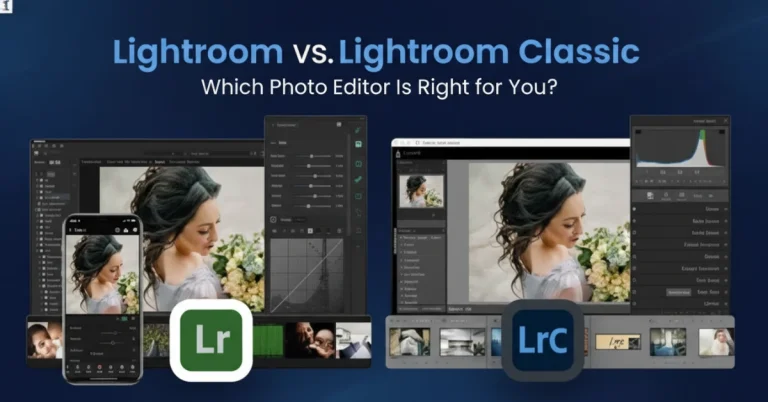
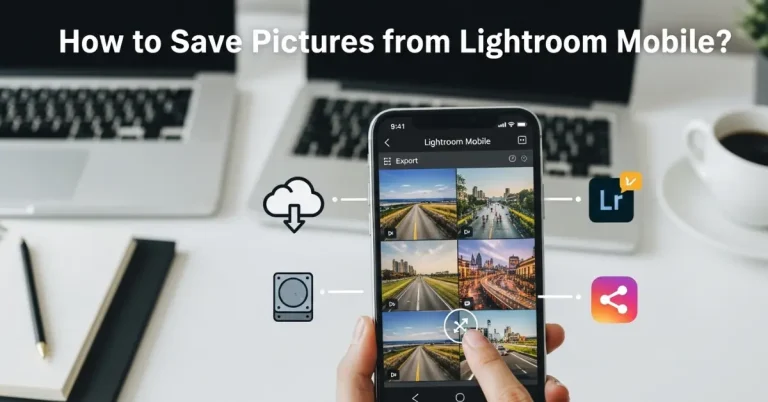
Lightroom comes in two versions: Lightroom Classic (for computers) and Lightroom Mobile (for phones and tablets). Both versions work together to give you a complete editing experience.
Key Features of Lightroom
Professional Editing Tools Lightroom offers advanced editing features that let you control every part of your photo. You can adjust brightness, contrast, colors, and much more. The app uses non-destructive editing, which means your original photo stays safe no matter what changes you make.
Presets for Quick Edits: One of Lightroom’s best features is presets. These are one-click filters that instantly transform your photos. You can download thousands of free Lightroom presets or create your own custom looks.
Cloud Storage and Sync: With Lightroom’s cloud storage, your photos sync across all your devices. Start editing on your phone during lunch, then finish on your computer at home. Everything stays in sync automatically.
RAW Photo Support: If you shoot in RAW format (which professional photographers love), Lightroom handles these large files perfectly. You get maximum quality and editing flexibility with RAW photo editing.
Organization Made Easy: Lightroom helps you organize thousands of photos using albums, star ratings, color labels, and keywords. Finding the perfect shot becomes quick and simple.
What is Remini?
Remini is an AI-powered photo enhancement app that launched a few years ago. It became famous for its ability to fix blurry or low-quality photos using artificial intelligence.
Unlike traditional editing apps, Remini focuses on one main thing: making your photos sharper and clearer using AI technology.
Key Features of Remini
AI Photo Enhancement: Remini’s biggest strength is its AI enhancement feature. Upload a blurry or pixelated photo, and Remini’s artificial intelligence will analyze it and create a sharper, clearer version. It’s almost like magic!
Face Enhancement: The app specializes in improving faces in photos. Old family photos, screenshots, or low-resolution images can be dramatically improved. Remini adds detail to skin, eyes, and facial features.
Video Enhancement: Beyond photos, Remini can also enhance videos. If you have old, grainy video footage, Remini can help improve the quality.
Simple User Interface: Remini is extremely easy to use. You don’t need any photography knowledge. Just upload your photo, tap enhance, and wait for the AI to work its magic.
Batch Processing: You can enhance multiple photos at once, saving you time when you have lots of images to improve.
Lightroom VS Remini: Head-to-Head Comparison
Now let’s compare these two apps directly across different categories that matter to photographers.
Editing Capabilities
Lightroom Winner
Lightroom offers professional-grade editing tools with precise control over every aspect of your image. You can adjust:
- Exposure and contrast
- Highlights and shadows
- White balance and temperature
- Color saturation and vibrance
- Sharpness and noise reduction
- Lens corrections
- Perspective and geometry
- Local adjustments with brushes and gradients
Remini focuses mainly on AI enhancement and doesn’t offer these detailed manual controls. While Remini can make a blurry photo clearer, it can’t help you adjust colors, fix lighting problems, or make creative edits.
Verdict: If you want complete creative control, Lightroom is the clear winner.
Ease of Use
Remini Winner
Remini is incredibly simple to use. The app does most of the work for you automatically. Here’s the typical workflow:
- Upload your photo
- Tap “Enhance”
- Wait a few seconds
- Download the improved image
Lightroom has more buttons, sliders, and options. While this gives you more control, it also means a steeper learning curve. New users might feel overwhelmed at first.
Verdict: For absolute beginners who want quick results, Remini wins on simplicity.
AI and Automation
Remini Winner
Remini built its entire app around AI technology. Its enhancement algorithms are impressive and can rescue photos that seem beyond repair.
Lightroom also includes AI features like Auto Enhance and AI-powered sky replacement, but these are just part of a larger toolkit. Lightroom’s AI isn’t as focused on upscaling and sharpening as Remini’s.
Verdict: For AI-powered enhancement specifically, Remini has the edge.
Photo Organization
Lightroom Winner
Lightroom excels at organizing large photo libraries. You can:
- Create albums and folders
- Use star ratings (1-5 stars)
- Add color labels
- Search by keywords
- Filter by camera settings
- View photos on a map (if they have location data)
Remini doesn’t have any organization features. It’s purely an enhancement tool, not a photo library manager.
Verdict: Lightroom is essential if you shoot lots of photos and need to stay organized.
Mobile vs Desktop Experience
Lightroom Winner
Lightroom works seamlessly on both mobile devices and computers. Your edits, presets, and photos sync across all devices through Adobe’s cloud service.
You can use Lightroom Mobile to:
- Edit photos on the go
- Capture photos with the built-in camera
- Apply presets
- Share to social media
Remini is primarily a mobile app. While they offer a web version, the experience is best on smartphones.
Verdict: Lightroom offers more flexibility across devices.
Price and Value
Mixed Results
Let’s look at the costs:
Lightroom Pricing:
- Photography Plan: $9.99/month (includes Photoshop)
- Lightroom Plan: $9.99/month (1TB cloud storage)
- Free trial available
You can also find Lightroom Mod APK versions, though we recommend supporting developers by purchasing legitimate versions.
Remini Pricing:
- Free version (limited enhancements per day)
- Pro version: $4.99/week or $29.99/year
- One-time payment options available
Remini’s free version is quite limited. For serious use, you’ll need the Pro version. Lightroom’s subscription gives you access to more features and cloud storage.
Verdict: Lightroom offers better overall value for serious photographers.
Output Quality
Depends on Use Case
The winner here depends on what you’re trying to achieve.
For AI enhancement of low-quality images, Remini produces impressive results. It can take a 100-pixel face and make it look sharp and detailed. This is perfect for:
- Old family photos
- Screenshots from videos
- Compressed social media images
- Scanned documents
For overall photo editing and professional results, Lightroom produces superior output. When you start with a good quality photo, Lightroom’s tools help you create magazine-worthy images.
Verdict: Remini wins for enhancing poor-quality images; Lightroom wins for professional editing.
Learning Curve
Remini Winner
Remini requires almost no learning. If you can tap a button, you can use Remini.
Lightroom takes time to master. You’ll need to learn about:
- How different sliders affect your image
- Color theory basics
- What presets work best for different situations
- How to organize your workflow
The good news? There are tons of Lightroom tutorials and guides available to help you learn.
Verdict: Remini is faster to learn, but Lightroom’s learning investment pays off long-term.
When to Use Lightroom
Lightroom is your best choice when:
- You shoot in RAW format – Lightroom handles RAW files beautifully and gives you maximum editing flexibility.
- You need professional results – For client work, portfolio pieces, or professional projects, Lightroom provides the tools you need.
- You have many photos to organize – Lightroom’s organization features are invaluable for managing large photo libraries.
- You want creative control – When you have a specific vision for your photo, Lightroom lets you make it happen.
- You’re building photography skills – Learning Lightroom makes you a better photographer overall.
- You need consistency – Lightroom presets help you maintain a consistent look across all your photos.
When to Use Remini
Remini is your best choice when:
- You have old or low-quality photos – Remini can dramatically improve photos that might seem beyond saving.
- You need quick fixes – When you don’t have time for detailed editing, Remini delivers fast results.
- You’re not a photographer – Regular people who just want better photos will love Remini’s simplicity.
- You work with compressed images – Social media screenshots or heavily compressed photos benefit from Remini’s AI.
- You want to restore old memories – Family photos from decades ago can get new life with Remini.
- You need face enhancement – Remini excels at making faces clearer and more detailed.
Can You Use Both Apps Together?
Absolutely! Many photographers use both apps for different purposes.
Here’s a smart workflow:
- Start with Remini if your photo is blurry or low-quality. Let the AI enhance and sharpen it first.
- Import to Lightroom for color correction, creative edits, and final touches.
- Export and share your beautifully edited photo.
This combination gives you the best of both worlds – AI enhancement plus professional editing tools.
Lightroom Alternatives Worth Considering
While we’re comparing Lightroom and Remini, you might also want to explore other editing apps:
- Lightroom Mod APK Premium – Unlocked features for free
- Snapseed – Google’s free editing app with powerful tools
- VSCO – Great for social media photographers
- Photoshop Express – Adobe’s simpler mobile editor
- Capture One – Professional alternative to Lightroom
- Motionleap – Motionleap is a photo editing app that adds movement to still images.
Tips for Getting Started
If You Choose Lightroom:
- Download Lightroom presets to speed up your workflow
- Watch beginner tutorials on YouTube
- Start with Auto Enhance, then learn manual adjustments
- Practice on different types of photos
- Join Lightroom communities for inspiration
- Check out our Lightroom tips and tricks guide
If You Choose Remini:
- Start with your oldest, blurriest photos to see the magic
- Use the free version first to test it out
- Compare before and after results
- Don’t over-enhance – subtle often looks better
- Save original copies before enhancing
Final Verdict: Which App Should You Choose?
Here’s the simple answer:
Choose Lightroom if:
- You’re serious about photography
- You want professional results
- You need complete creative control
- You shoot in RAW format
- You have many photos to organize
Choose Remini if:
- You want to fix old, blurry photos
- You need quick, easy enhancements
- You’re not interested in learning complex editing
- You work mostly with compressed images
- You want face enhancement specifically
Choose Both if:
- You want the best possible results
- You have different types of editing needs
- You can afford subscriptions to both apps
Conclusion
Both Lightroom and Remini are excellent apps, but they serve different purposes. Lightroom is a complete photo editing and organization solution for photographers who want professional results. Remini is an AI-powered enhancement tool perfect for rescuing low-quality images.
For most photographers in 2026, Lightroom remains the better choice for everyday editing. However, having Remini in your toolkit for specific situations makes sense too.
The best news? You don’t have to choose just one. Try both apps and see which fits your workflow best. Many photographers successfully use both for different projects.
Ready to get started with Lightroom? Check out our complete Lightroom guide and download free presets to jumpstart your editing journey!